
3D 4D 4K Live Wallpaper
ZAppsolutionPersonalization
4.323.00 Reviews
- Version
- 1.0.13
- Installs
- 500.00K
- Age Rating
- Everyone
Screenshots
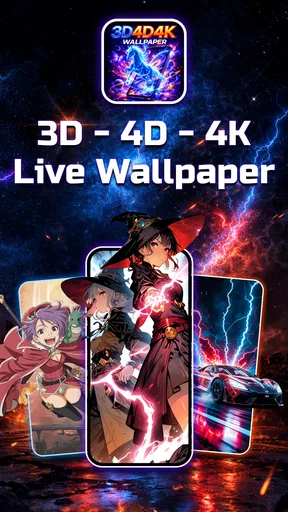
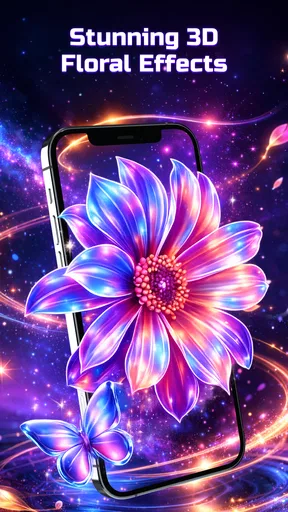
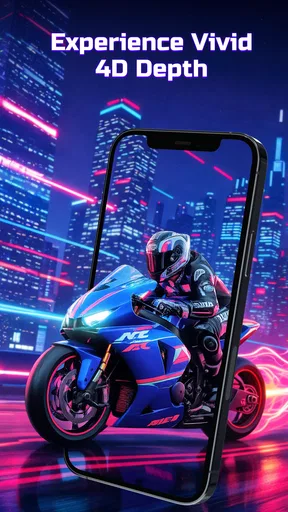
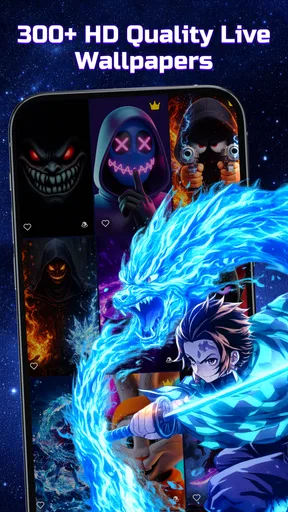
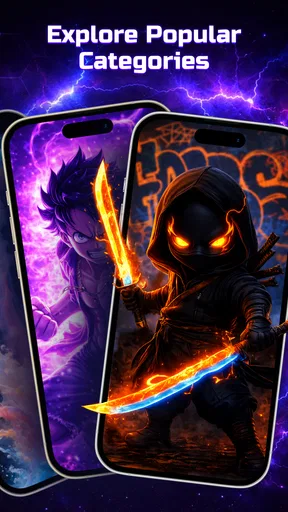
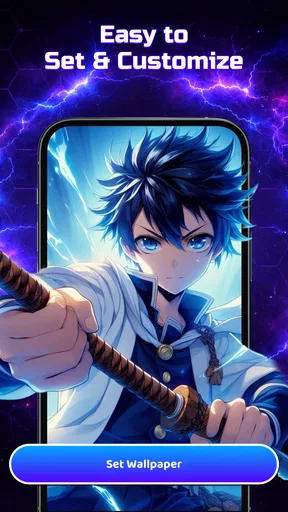
Our Review of 3D 4D 4K Live Wallpaper
 Analysis by Appyee
I spent time using 3D 4D 4K Live Wallpaper as a personalization app, and its main appeal is easy to understand: it turns an ordinary home screen into something with visible depth and movement. Instead of treating a wallpaper as a flat picture, it uses parallax-style motion and animated backgrounds to make the image respond as I move through the phone. That effect is the center of the experience, and it is also the reason this app will suit some people much better than others.
Developed by ZAppsolution, the app is free to install and is aimed at Everyone. It works on devices running Android 8.0 or later, so it is accessible to many older phones as well as newer models. The current version is 1.0.13, and the app has passed half a million installs with an average rating of 4.3 from roughly 2.6 thousand ratings. Those figures suggest that the concept has found a sizeable audience, although the experience still depends heavily on your phone’s screen, performance, and tolerance for animated backgrounds.
Why the parallax effect matters more than the resolution label
The most important feature here is not simply the promise of 4K imagery. On a phone, the difference between a very sharp background and an ordinary high-quality image can be subtle, especially on smaller displays. The parallax effect is more noticeable because it changes how the wallpaper feels while I use the device. Background elements appear to shift in relation to one another, creating a sense that the image has layers rather than being printed onto the screen.
That extra depth can make a familiar phone feel refreshed without changing icons, widgets, or the launcher. I noticed the effect most when moving between home-screen pages or tilting the device slightly. It is not the same as interacting with a game or navigating a three-dimensional scene; the movement is decorative. Still, it gives the screen a livelier character than a static photograph.
The practical benefit is atmosphere, not productivity. A moving wallpaper will not help me write faster, organize tasks, or find apps more quickly. Its value is emotional and visual. A dark background with slow depth movement can make a phone feel calmer, while a more dramatic animated scene can make it look more personal. If you want a screen that feels less predictable every time you unlock it, the parallax approach is more meaningful than a simple collection of still images.
The “4D” wording should also be understood as a presentation style rather than a separate dimension that changes how the phone works. In everyday use, I would describe the result as animated wallpaper with layered motion. That is enough to make the screen more engaging, but it is best to approach it with realistic expectations rather than expecting a fully interactive visual environment.
What changes when the wallpaper is always moving
Static wallpaper is almost invisible after a few days because the eye stops noticing it. Live wallpaper has the opposite problem: it can remain interesting, but it can also become distracting. With this app, the success of a background depends on how restrained the movement is. A subtle shift behind icons can add depth without getting in the way. Fast or visually busy motion may compete with notifications, widgets, and app labels.
I found that the effect works best when the image has a clear foreground and background. A scene with recognizable layers gives the movement something to communicate. A flat pattern may still look attractive, but the parallax motion has less visual meaning because there are fewer apparent distances between objects. This is a useful way to judge a wallpaper before keeping it: ask whether its composition benefits from depth, not merely whether the picture looks sharp.
There is also a difference between appreciating a preview and living with a wallpaper all day. A background can look impressive for a few minutes and then feel tiring when it remains active behind every home-screen visit. I recommend choosing a design that supports the icons rather than one that tries to become the main event. The strongest result is usually a wallpaper that I notice occasionally, not one that forces my attention every time I unlock the phone.
Using the app in a normal phone routine
The basic idea is straightforward: browse the available visual styles, choose a live background, and apply it to personalize the device. The important part is not the number of taps but the decision that follows. Once the wallpaper is active, I need to evaluate it in the places where I actually use the phone: the main home screen, a secondary page with widgets, and the lock screen if the device supports that arrangement.
That last check matters because a design that looks excellent behind an empty home screen may become messy underneath a calendar, weather panel, or large folder group. I prefer to test a wallpaper with my real layout instead of judging it in isolation. This reveals whether bright areas reduce icon readability or whether moving details make text harder to scan.
A useful workflow is to keep the most detailed image for a page with fewer icons and use a calmer design where I place frequently used shortcuts. This turns the parallax effect into part of the layout rather than an obstacle. It is a small distinction, but it makes the app feel more considered. The wallpaper does not need to be equally dramatic on every page to be effective.
The app’s focus on 3D, 4D, and high-resolution backgrounds also means that visual quality is central to the choice. On a modern phone with a crisp display, fine details and layered scenes can look polished. On a lower-end device, the same visual ambition may be less convincing if animation is not smooth. I would therefore judge the result on the phone where it will stay installed, not from screenshots viewed on another screen.
A realistic everyday scenario
Imagine someone who checks a phone repeatedly during a commute, between meetings, or while waiting for children after school. The device may not need another utility, but the owner may be tired of seeing the same static background. A carefully chosen live scene can provide a small change of mood without requiring a new launcher or a complete redesign. I can see the app working particularly well for that kind of personal refresh: the phone remains familiar, but the first screen feels less stale.
For example, I would use a subdued depth effect on a work phone with a simple clock and a few essential shortcuts. The movement would give the screen personality while leaving the important information readable. On a personal phone, I might choose a more expressive scene, but I would still avoid placing the busiest design behind a dense collection of widgets. The key is matching the wallpaper’s visual energy to the role of the device.
This also makes the app useful for people who enjoy changing their phone’s appearance seasonally or according to their mood. It offers a more noticeable transformation than swapping one still image for another, yet it does not require learning a complicated customization system. That balance is one of its strongest practical qualities.
Where it compares well with ordinary alternatives
The usual alternative is a static wallpaper from the phone’s built-in library, a personal photograph, or an image found through a general wallpaper service. Those choices are often simpler and may be easier on battery and system resources. They also give me more control when I want a clean background that never shifts behind text or icons.
This app is more appealing when the goal is a visual effect rather than a particular photograph. A personal image can be meaningful, but it may not have the layered composition needed for convincing parallax. A standard wallpaper collection may offer variety, but it generally cannot provide the same sense of movement. In that comparison, the app earns its place by changing the behavior of the background, not merely by replacing the picture.
There is a trade-off in that distinction. Static alternatives are predictable. I know exactly how they will look after adding widgets, switching between pages, or using the phone in bright light. A live wallpaper introduces another variable: motion. For someone who values a quiet, distraction-free interface, the built-in wallpaper picker may be the better choice even if it looks less impressive.
Dedicated personalization tools can also offer broader control over icons, fonts, lock-screen layouts, or widgets. This app should not be viewed as a complete customization suite. Its strength is narrower and clearer: it concentrates on animated, depth-oriented backgrounds. If I want to redesign the entire interface, I would look elsewhere. If I only want the wallpaper to feel more dimensional, this focused approach is easier to justify.
The trade-offs I noticed before keeping it installed
The first trade-off is visual distraction. Motion can make a phone feel premium, but it can also reduce the calmness of the home screen. I would skip the most elaborate backgrounds if I use the phone for reading, navigation, or work reminders throughout the day. A wallpaper should support those activities, and an overly active scene can make the interface feel busier than necessary.
The second consideration is device behavior. Animated and high-resolution content asks more from a phone than a single still image. I would pay attention to whether page transitions remain smooth and whether the device feels warmer during ordinary use. I would also watch battery behavior over a normal day rather than drawing a conclusion after a short trial. The effect may be perfectly acceptable on one phone and less worthwhile on another.
That does not mean every user will encounter a serious problem. Hardware, display settings, background activity, and the chosen design all influence the result. My advice is to treat performance as something to test personally. If the wallpaper causes even minor hesitation when moving between screens, the decorative benefit is probably not worth keeping on that device.
Another trade-off involves readability. A visually rich background can interfere with white or dark labels depending on where the details sit. Before settling on a design, I would look at the app names I use most, notification badges, and any widgets that contain small text. A wallpaper that looks beautiful without interface elements may be a poor choice once the phone is arranged for daily use.
In-app purchases range from $3.99 to $29.99 per item. Since the app is free to install, I can explore the basic experience before deciding whether additional content is worth paying for. I would only spend money after finding a style I genuinely expect to keep. Paying for a visual effect makes sense when it becomes part of the phone’s identity; it makes less sense if I tend to change wallpapers every few days.
Who will get the most from the app
I think this app is best for people who care about the look and feel of their home screen but do not want to replace their launcher. It is also a good fit for users who enjoy animated visuals, want more personality than a standard photo provides, and are comfortable testing a wallpaper against their existing icons and widgets.
It may appeal especially to someone with a display that can show fine detail clearly. The combination of depth and high-resolution artwork is most convincing when the screen can present those details without making them look muddy. The app is also approachable for casual users because the purpose is immediately understandable: choose a moving background and see whether it improves the phone’s appearance.
I would be more cautious about recommending it to someone who prioritizes maximum battery efficiency, uses an older or less responsive phone, or wants a completely still interface. It is also not the right choice for a person searching for advanced home-screen control, icon packs, or productivity features. The app does one visual job, and its value depends on whether that job matters to you.
The Everyone content rating makes it suitable for a broad audience, including families choosing a simple personalization option. Even so, suitability is not the same as preference. A child may enjoy vivid motion, while an adult using the phone for work may prefer a restrained design. The range of possible wallpaper styles is useful, but the final decision should be guided by how the screen needs to function.
My recommendation after focusing on the depth effect
What I like about 3D 4D 4K Live Wallpaper is that it gives the home screen a noticeable change without demanding a complete phone makeover. The parallax effect has a real visual consequence: it makes layered artwork feel less flat and gives movement to an area that is usually static. That is a more meaningful improvement than simply attaching a high-resolution label to an ordinary image.
My recommendation is to start with a restrained design, test it with your actual icons and widgets, and use it for a full routine before considering any purchase. If the motion remains pleasant after repeated unlocks and the interface stays readable, the app can be a satisfying personalization choice. If the effect becomes distracting or performance changes, a static wallpaper will probably serve you better.
With a free starting point, broad device compatibility from Android 8.0 onward, and a clear focus on animated depth, the app is easy to try without committing to a new launcher. Its strongest audience is not everyone who wants a pretty background; it is people who specifically want their wallpaper to feel alive. For that group, ZAppsolution’s app offers a convincing visual refresh, provided the user treats the parallax effect as an accent rather than the whole phone experience.
Verdict
Strengths of 3D 4D 4K Live Wallpaper
- Creates a striking depth effect on compatible phone screens.
- Offers high-resolution visuals that look sharp on modern displays.
- Includes animated backgrounds for a more dynamic home screen.
- Supports immersive themes suitable for gaming and sci-fi fans.
- Can make an older interface feel more personalized and modern.
Limitations of 3D 4D 4K Live Wallpaper
- High-resolution animations may consume more battery than static wallpapers.
- Some features may require a powerful device for smooth performance.
- Live effects can increase memory and processor usage.
- The 3D effect may be limited by your phone’s display and sensors.
- Frequent wallpaper changes may require additional downloads or storage.
Other Releases by ZAppsolution
View All
Emoji Battery & Shimeji Pets
Productivity4.6

Baby & Pregnancy Tracker App
Parenting4.2
Similar Picks in This Category
View All
Microsoft SwiftKey AI Keyboard
SwiftKey4.3

Wallpapers
Google LLC4.1

Zedge™ Wallpapers & Ringtones
Zedge4.7

Yandex Browser with Alice AI
Direct Cursus Computer Systems Trading LLC4.3

Ringtone Maker:create ringtone
Big Bang Inc.4.7

Fonts Keyboard
Fonts Keyboard3.9
Frequently Asked Questions
What is 3D 4D 4K Live Wallpaper?
3D 4D 4K Live Wallpaper is a personalization app designed to replace a standard static background with animated, high-resolution visuals. It typically offers depth effects, motion-based scenes, glowing patterns, and 4K-style artwork intended to make the home or lock screen look more dynamic. The exact appearance and available features may vary depending on your device, Android version, and the wallpaper collection included in the app.
Does 3D 4D 4K Live Wallpaper work on every Android phone?
The app should work on many modern Android smartphones, but compatibility is not guaranteed for every model. Performance depends on screen resolution, graphics hardware, available memory, Android version, and whether the phone supports live wallpapers correctly. Older or entry-level devices may experience reduced smoothness, limited effects, or faster battery consumption. Checking the app’s store compatibility information before installing is recommended.
Will 3D 4D 4K Live Wallpaper drain my battery or slow down my phone?
Animated wallpapers generally use more resources than ordinary still images because they continuously render motion and visual effects. A 3D or 4D wallpaper may therefore increase battery usage, especially on devices with high refresh-rate displays or when complex animations remain active for long periods. In testing, the impact can vary considerably. If your phone becomes warm or less responsive, choose a simpler scene or disable the animation.
Can I customize the wallpaper and use it on the lock screen?
Customization options depend on the specific version of 3D 4D 4K Live Wallpaper and the wallpaper selected. Some scenes may allow users to adjust animation speed, visual effects, perspective, or display mode, while others may be fixed. Lock-screen support is also controlled partly by Android and the phone manufacturer. You may be able to apply it to the home screen, lock screen, or both, but not every device offers all options.
Is 3D 4D 4K Live Wallpaper free to use, and does it contain advertisements?
The app may be available as a free download, but free personalization apps commonly include advertising, optional purchases, or premium wallpaper collections. Some features may require watching an advertisement or upgrading before they can be applied without restrictions. Review the Google Play listing carefully for pricing, subscriptions, permissions, and recent user feedback. Also remember that the app’s actual download size and available content can change with future updates.
